
Deployment documentation
Install, operate, onboard
The high-level shape of the journey is below. The full guides, install, the console operator manual, and the operations runbook, are provided to customers in the documentation portal and sent directly.
The journey at a glance
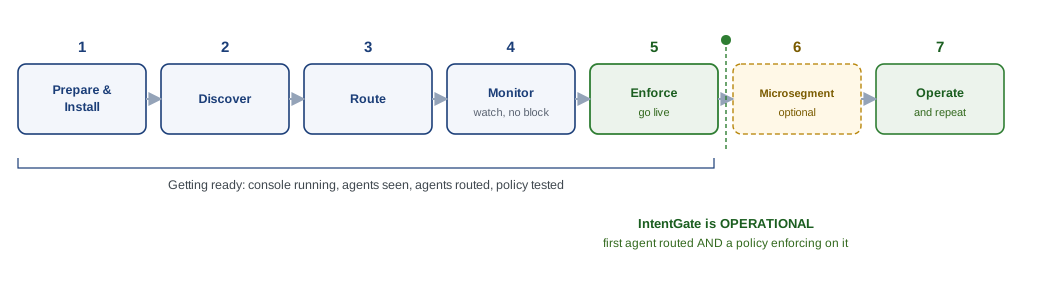
- 1Prepare and install. Get IntentGate running on a host and open the console.
- 2Discover. See the agents in the estate and what tools they touch.
- 3Route. Send an agent's tool calls through the gateway so they can be governed.
- 4Monitor. Test a policy against real recorded traffic, with nothing blocked yet.
- 5Enforce. Promote the policy so the gateway allows, holds, or denies. Operational milestone.
- 6Microsegment. Control agent-to-agent calls and group agents into zones. Optional.
- 7Operate. Verify on the flow map and audit, and repeat for each new agent.
IntentGate is operational once the first agent is routed and a policy is enforcing on it.
The full guides
Deployment documentation portal
The complete set, the Journey Map, the Linux, macOS and Windows install guides, the console getting-started guide, the operations runbook, and the Console Pro operator manual, is available to customers in the documentation portal. Each guide can be read in the browser or downloaded as a Word document. Access requires a login, provided to the customer.